The Reality of Sourcing Laptops from Resale and Pawn Counters
Walking into a resale store or local broker gives you immediate, tactile access to hardware that would otherwise take days to arrive from an online storefront. When searching for reliable 2nd hand laptops for sale, local shops present an overlooked middle ground between anonymous peer-to-peer meetups and retail shelves. You can physically open the clamshell, inspect the keycaps for uneven shine, plug in a charger, and listen to the internal cooling fans spin up under a simulated workload before parting with your money.
Pawn shops handle an enormous volume of consumer tech every week, making them fertile ground for finding clean personal computers at substantial markdowns. Inventory changes constantly based on local trade activity, meaning you might encounter an entry-level notebook on Monday and a top-tier machine configured for creative production by Thursday. Browsing through pawn shops for electronics provides buyers with a distinct pricing edge, especially when models have sat in glass display cases past the typical thirty-day retail turnaround window.
The primary challenge lies in understanding the lineage of each machine you inspect. While factory distribution channels repackage computers in pristine white boxes with standardized inspection slips, local inventory arrives directly from previous private owners. Knowing how to separate genuine value from worn-out office surplus or locked consumer hardware requires a disciplined testing routine that you must carry out right on the counter.
Manufacturer Certified Hardware versus Storefront Reconditioning
Terminology in the secondhand electronics market can occasionally mislead uninitiated buyers. An authentic apple certified refurbished macbook undergoes an extensive teardown at factory facilities, receiving an entirely new outer aluminum casing, a fresh battery pack, official replacement parts, and a standard one-year manufacturer guarantee. When a device is sold as a macbook refurbished apple direct product, it arrives virtually indistinguishable from factory-sealed hardware, complete with clean documentation and original accessories.
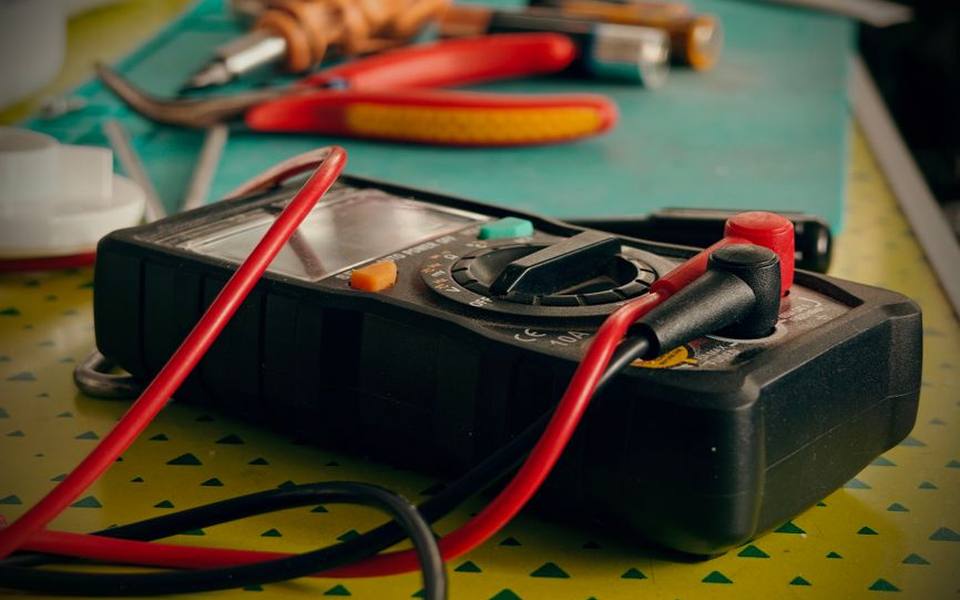
By contrast, an apple refurbished mac sitting on a pawn or regional broker counter has usually been evaluated by an in-house technician rather than a centralized manufacturer assembly line. Storefront reconditioning typically involves basic functional diagnostics: wiping the operating system, verifying that the display lights up evenly, checking the charge port, and cleaning the chassis with isopropyl alcohol. While this keeps retail prices significantly lower than corporate outlets, the buyer assumes more responsibility for long-term component reliability.
Understanding this distinction prevents mismatched expectations regarding post-purchase support and hardware cosmetic condition. You are unlikely to find factory-sealed packaging on a secondhand macintosh or modern portable unit in a resale showcase, but you can secure savings that often exceed thirty to forty percent compared to corporate refurbished programs. The key is confirming that the internal components match the stated specifications on the price sticker.
Verifying Coverage Windows and AppleCare on Secondhand Hardware
A common point of confusion among buyers centers on whether applecare refurbished mac coverage transfers across multiple owners. In most circumstances, genuine manufacturer protection agreements are tied directly to the serial number of the machine rather than the individual purchaser. If the prior owner prepaid for extended coverage and did not actively submit a formal request for a prorated refund, that remaining balance typically stays assigned to the motherboard.
Before finalizing any transaction, boot the operating system, click into the system information menu, and copy down the exact twelve-character or randomized hardware serial code. Enter this string into the official manufacturer coverage portal using your smartphone's web browser while standing at the retail register. This live check shows precisely when the hardware was originally activated, whether an active protection tier remains valid, and whether the laptop is eligible for paid annual renewals.
If you are looking at hardware that was originally sourced through an official factory channel as an apple certified refurbished mac, it may still possess months of active manufacturer support. However, never rely solely on a clerk's spoken guarantee that a laptop holds warranty coverage. Physical verification through official online tools is the only reliable way to confirm that you will not face unexpected repair fees if a logic board component fails.
Essential Counter Diagnostics for Battery Health and Keyboards
Every thorough examination begins with the built-in system profiler to analyze battery degradation and charging performance. On macOS hardware, hold the option key, select the system report, and navigate straight to the power tab. This utility reveals the cycle count and full charge capacity relative to factory standards; a cycle count approaching or exceeding one thousand indicates the cells are near the end of their operational lifespan and will require costly service soon.
For Windows-based hardware, you can open the command line prompt and generate a native battery diagnostic report to review degradation rates over time. Physical battery swelling is an immediate disqualifier that demands immediate rejection. Place the laptop completely flat on the glass countertop to check if all four rubberized feet make firm contact; a wobbling chassis or a raised, stiff trackpad often points to swollen pouch cells expanding beneath the bottom aluminum cover.
Next, open a blank text document and press every single key sequentially across the deck, paying close attention to the spacebar, return key, and shift keys. Older scissor and butterfly key mechanisms are notorious for trapping fine grit, leading to repeated keystrokes or unresponsive switches that cannot be cleaned without full top-case replacement. Test the trackpad across its entire perimeter to confirm even click response and smooth gesture recognition.
Bypassing the Traps of Cloud Locks and Enterprise Profiles
The single most critical danger when buying pre-owned computing hardware is acquiring an unusable, locked logic board. Modern security architectures integrate security coprocessors that link hardware permanently to a specific personal user account or corporate domain. If Activation Lock remains enabled on an apple certified refurbished macbook air or similar machine, no local formatting trick, partition wipe, or clean system installation can bypass the security prompt.
Always demand that the store associate demonstrate a complete system setup from the initial regional welcome screen to the primary user desktop. If the device reboots into a corporate enrollment screen requesting institutional credentials, it remains enrolled in a remote Mobile Device Management (MDM) profile. These machines are often retired corporate surplus that was improperly decommissioned, meaning an IT administrator can remotely disable the hardware at any arbitrary moment.
Similarly, check for firmware-level protections before handing over tender. On older Intel machines, attempt to boot into recovery mode by holding Command and R; if a padlock icon appears demanding a password, the motherboard is firmware-locked. On contemporary Apple Silicon hardware, verify that FileVault can be turned on or off without administrative restrictions, ensuring you retain total ownership rights.
Evaluating MacBook Pro Configurations for Heavy Demands
Creative professionals and software developers frequently seek out refurbished mac book pros due to their robust thermal systems and high sustained performance curves. When shopping for these professional tiers, determining the exact processor variant is paramount. Modern architectures separate base chips from higher-bandwidth Pro and Max silicon, which offer vastly different memory bus widths, graphical execution cores, and external display support capabilities.

Examine the Liquid Retina display under multiple lighting conditions, bringing up solid white and solid dark backgrounds to spot stuck pixels, light bleed, or pressure marks. Previous owners who carried their hardware inside overstuffed backpacks frequently cause keyboard abrasion against the display glass, permanently wearing away the anti-reflective coating. This delamination cannot be polished out and requires an expensive lid assembly replacement to resolve.
Thermal management requires careful physical inspection on machines intended for sustained workloads. Peer closely into the lateral exhaust vents along the bottom edges and behind the display hinge to assess dust accumulation. Run a processor-intensive task, such as playing back high-resolution video streams simultaneously, to ensure the internal cooling fans spin up smoothly without audible bearing whine, rattling noises, or sudden thermal throttling shutdowns.
Inspecting Thin Laptops and Ultraportable Models
Ultraportable laptops, such as an apple certified refurbished macbook pro in the smaller form factor or a lightweight Air model, prioritize slim engineering over modularity. Because these machines feature completely fanless enclosures in recent generations, they rely entirely on the aluminum chassis to dissipate internal heat. Dents, bends, or structural twists along the unibody casing can impede heat transfer or apply uneven physical stress to sensitive motherboard components.
Check the tension on the friction display hinge across its complete range of motion. The lid should open smoothly with one finger without lifting the bottom chassis off the table, yet hold its exact angle firmly when the machine is picked up and gently tilted. A loose hinge assembly indicates heavy drops or metal fatigue, which often causes the delicate ribbon cables running through the clutch barrel to fray and fail over time.
Port integrity is another vital inspection area for minimalist machines that rely solely on two multi-purpose connections. Take a standard external drive or charging cable and insert it into each port to ensure a snug, reassuring friction fit. Loose connectors, intermittent data disconnections, or carbon build-up inside the charging pins signal excessive wear that could eventually leave the laptop incapable of taking a battery charge.
Comparing Secondhand Windows Workhorses alongside Apple Units
While macOS hardware commands strong resale values, shoppers exploring refurbished laptops dell and similar enterprise-grade PC lines can often uncover exceptional computational performance per dollar. Corporate fleets refresh their mobile workstations on strict multi-year schedules, flooding regional markets with high-durability machines built with carbon-fiber reinforced frames, modular RAM slots, and user-swappable solid-state storage drives.
Comparing these ecosystems comes down to long-term upgradeability versus unified integration. Unlike modern Apple laptops, where memory and flash storage are permanently soldered directly to the processor package, many enterprise Windows notebooks allow you to buy an inexpensive base configuration and inexpensively upgrade the storage drive yourself at home. This modularity makes them particularly attractive for buyers wanting massive internal storage on a tight budget.
When inspecting a used Windows business laptop, access the Unified Extensible Firmware Interface (UEFI) during the initial power-on sequence. Ensure the BIOS is not protected by an administrative supervisor password that prevents you from altering boot orders, adjusting hardware configurations, or installing alternative operating systems. Verify that the original high-wattage power adapter is included, as underpowered generic replacement chargers can cause severe CPU throttling.
Negotiating Value and Assessing In-Store Return Policies
Pawn shop pricing is rarely set in stone, especially on consumer computing hardware that depreciates with each passing month. Stores across diverse regions, whether you are checking pawn shops in Texas or scanning inventory through pawn shops in California, often have distinct holding costs and local demand patterns. If you spot a laptop that has accumulated shelf dust or displays clear cosmetic scuffs, you have reasonable leverage to negotiate a lower cash price.
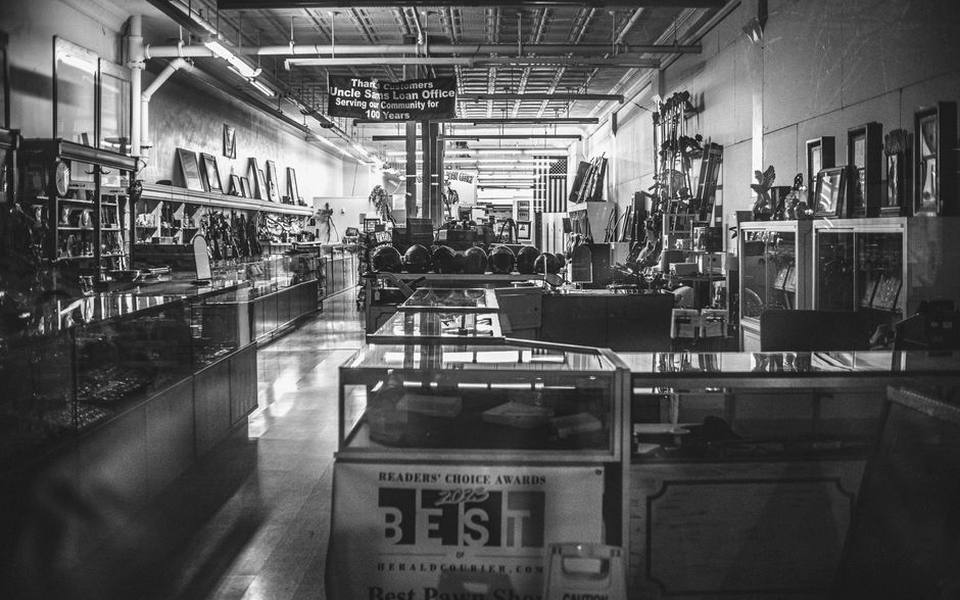
Before opening discussions on price, inquire specifically about the store's functional testing policy. Because pawnbrokers deal across countless product categories, their electronics testing procedures vary widely. Reputable storefronts typically offer a short testing window, ranging anywhere from twenty-four hours to seven days, during which you can return a machine for full store credit or an exchange if an unlisted hardware defect appears during extended use.
Always request a fully itemized receipt that documents the machine's exact serial number, stated internal specifications, and the agreed-upon testing window. If the business operates strictly on an as-is basis with all sales final, factor that risk directly into your financial offer. A machine with no post-purchase safety net should command a deeper markdown than one backed by a short-term store performance guarantee.
Preparing Your Current Laptop for Trade or Outright Sale
If you plan to fund your computer upgrade by liquidating an existing unit, thorough preparation dramatically increases the appraisal value you receive at the counter. Brokers base their initial payout numbers on current resale market averages, subtracting deductions for cosmetic dirt, missing accessories, or sluggish operating systems. Presenting a thoroughly cleaned, fully operational machine demonstrates that the hardware was well maintained throughout its working life.
Begin by creating a comprehensive cloud or external drive backup of your local documents, photos, and browser credentials. Once your data is secured, sign completely out of every personal cloud service, deregister the device from your account management console, and perform a complete cryptographic disk erase. Reinstall a clean, factory-fresh installation of the original operating system so the counter associate can turn it on and immediately test its operational status.
Gather every original accessory you still possess, including the OEM charging brick, the wall cable, and the original manufacturer packaging if you saved it. Aftermarket third-party chargers immediately raise red flags about electrical stability and reduce the shop's final offer. Cleaning the keyboard deck, wiping down the screen with appropriate electronics cleaner, and coiling the cables neatly can earn you a significantly higher trade appraisal across reputable pawn shops across the country.
Published 2026-09-23 · reviewed with each rebuild, last October 2026.
Find pawn shops & check cashing stores near you
The directory lists 29,004 pawn shops & check cashing stores by state and city — pick your state or use the “Near me” button in the header.
More guides
-
 Money
MoneyHow to Buy Money Orders and Send Wire Transfers
-
 Money
MoneyHow to Buy and Sell Silver Bullion, Coins, and Sterling
-
 Service
Watch Battery Replacement and Sizing Guide: Costs, Links, and Services
-
 Money
MoneyWhere and How to Sell a Used iPhone for Cash Today
-
 Service
Ring Resizing Costs, Metal Limits, and Local Repair Options
-
 Buying
Where to Buy and Sell Pokemon, Sports, and Trading Cards
-
 Money
MoneyHow to Sell Gold Jewelry, Scrap Gold, and Diamonds
-
 Money
MoneyHow to Buy, Value, and Sell Used Rolex Watches
-
 Money
MoneyComplete Guide to Check Cashing Services and Fast Cash Advances
-
 Money
MoneyHow to Use In-Store Money Transfer and Foreign Currency Exchange Services
-
 Buying
How to Buy Used TVs, Modern Consoles, and Retro Games at Pawn Shops
-
 Service
Guide to Custom Jewelry Design, Engraving Services, and Gold Grillz
-
 Money
MoneyCar Title Loans and Collateral Borrowing: Complete Pawn Loan Guide
-
 Money
MoneyAuthentic Designer Handbags: How to Value, Authenticate, and Pawn Luxury Purses
-
 Money
MoneyGold and Silver Bullion Trading: Cash for Precious Metals Guide